Your team's open hall — on your own server
Atrium brings documents, databases, calendar, chat, video meetings, a knowledge graph and AI into one place you host yourself. No per-seat fees, and your data stays on your server: it only goes elsewhere when you connect an AI service or the app checks for updates.
Write, plan, talk and meet — together
Replace a stack of separate tools with one workspace that your whole team shares in real time.
Documents
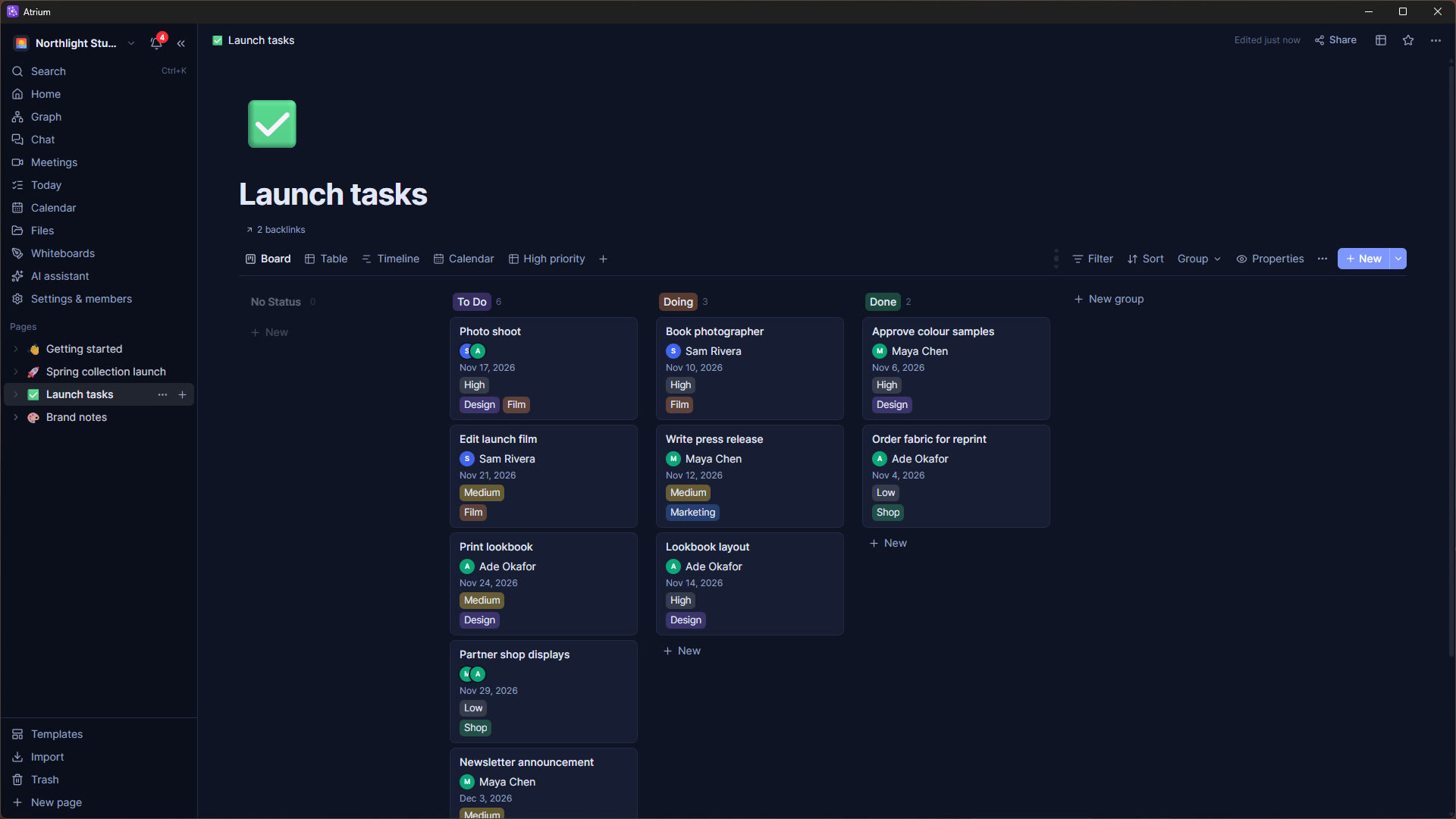
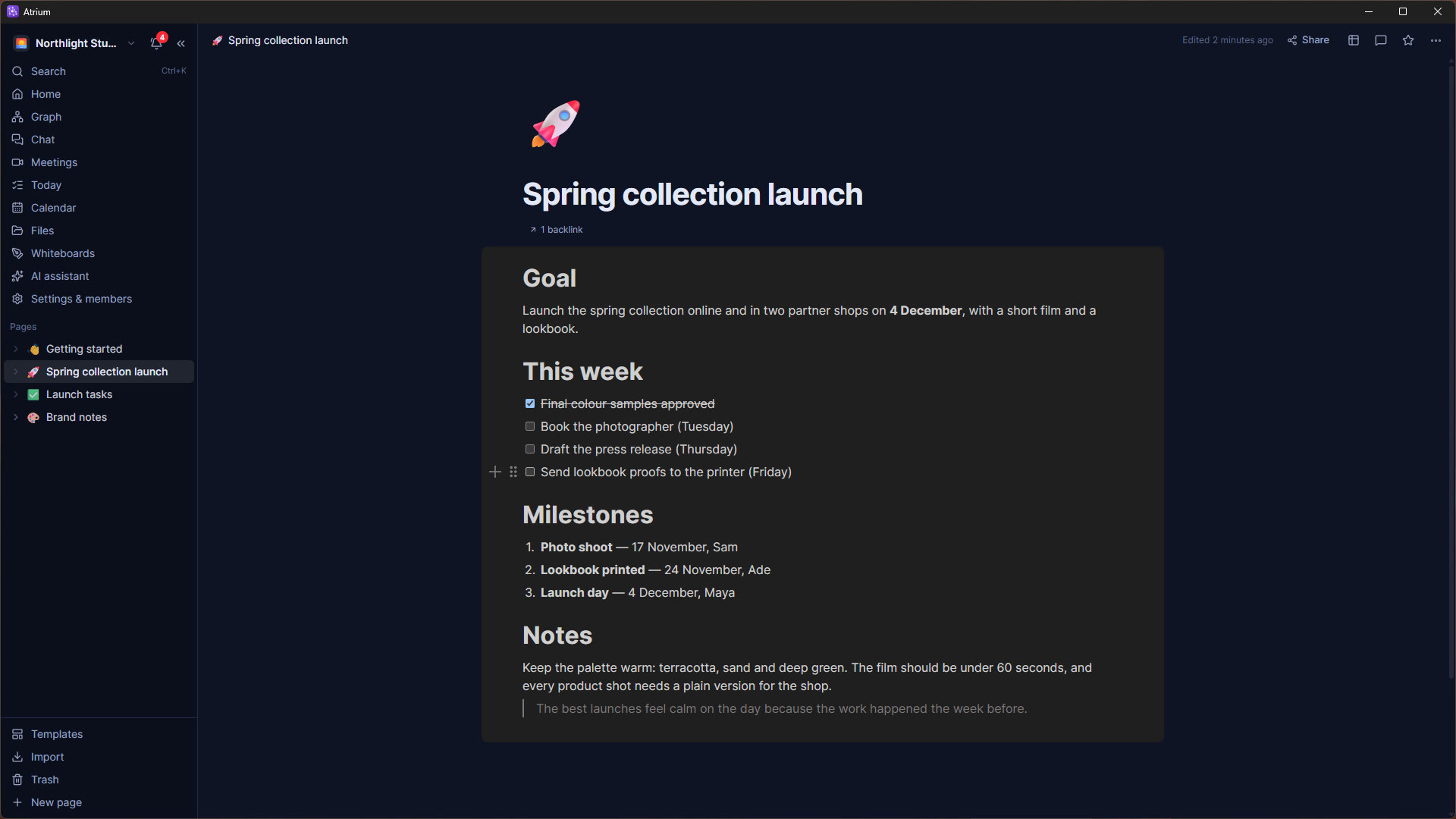
A block editor with to-dos, callouts, toggles, columns, equations, embeds, comments, page history and live cursors.
Databases
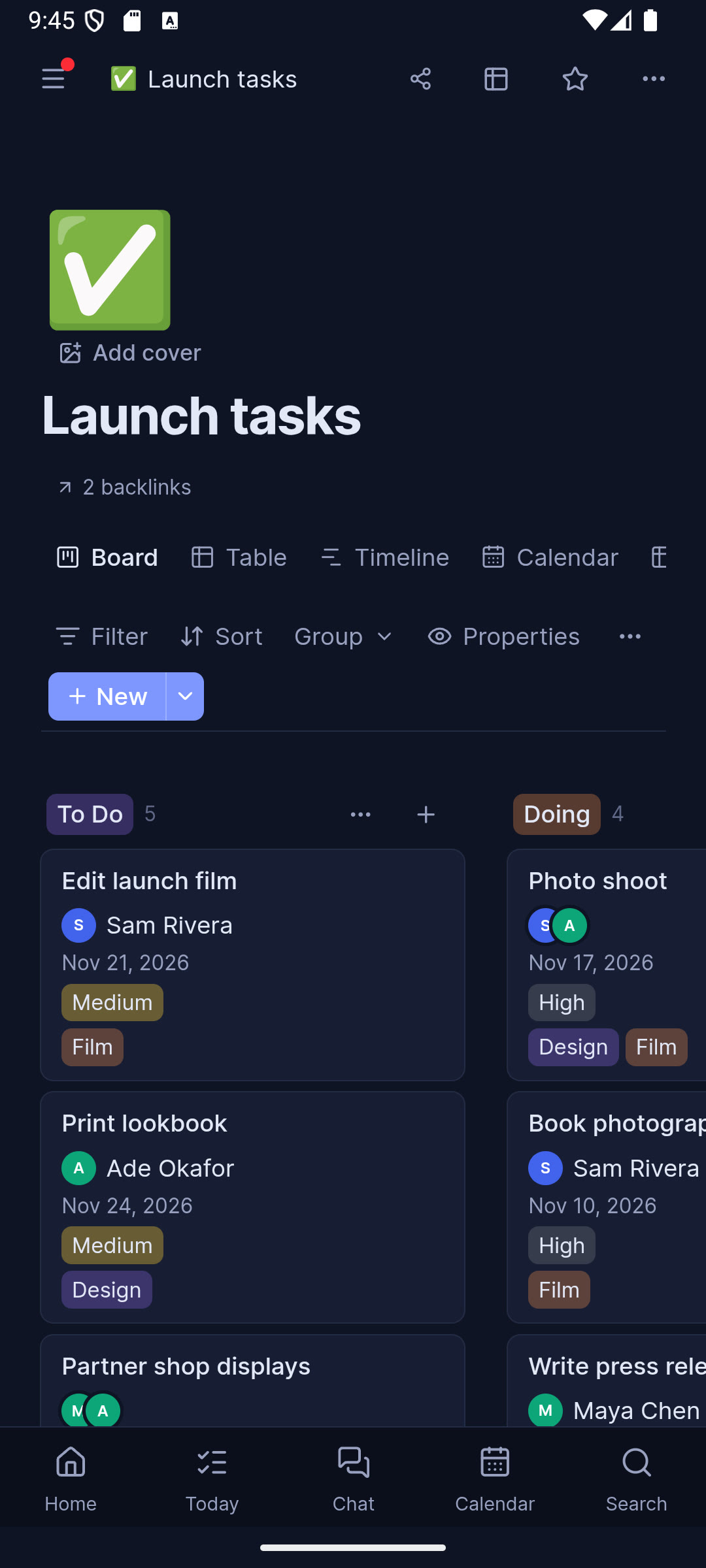
Grids, boards, calendars, timelines, galleries, charts and forms — with relations, rollups, formulas and automations.
Calendar & Today
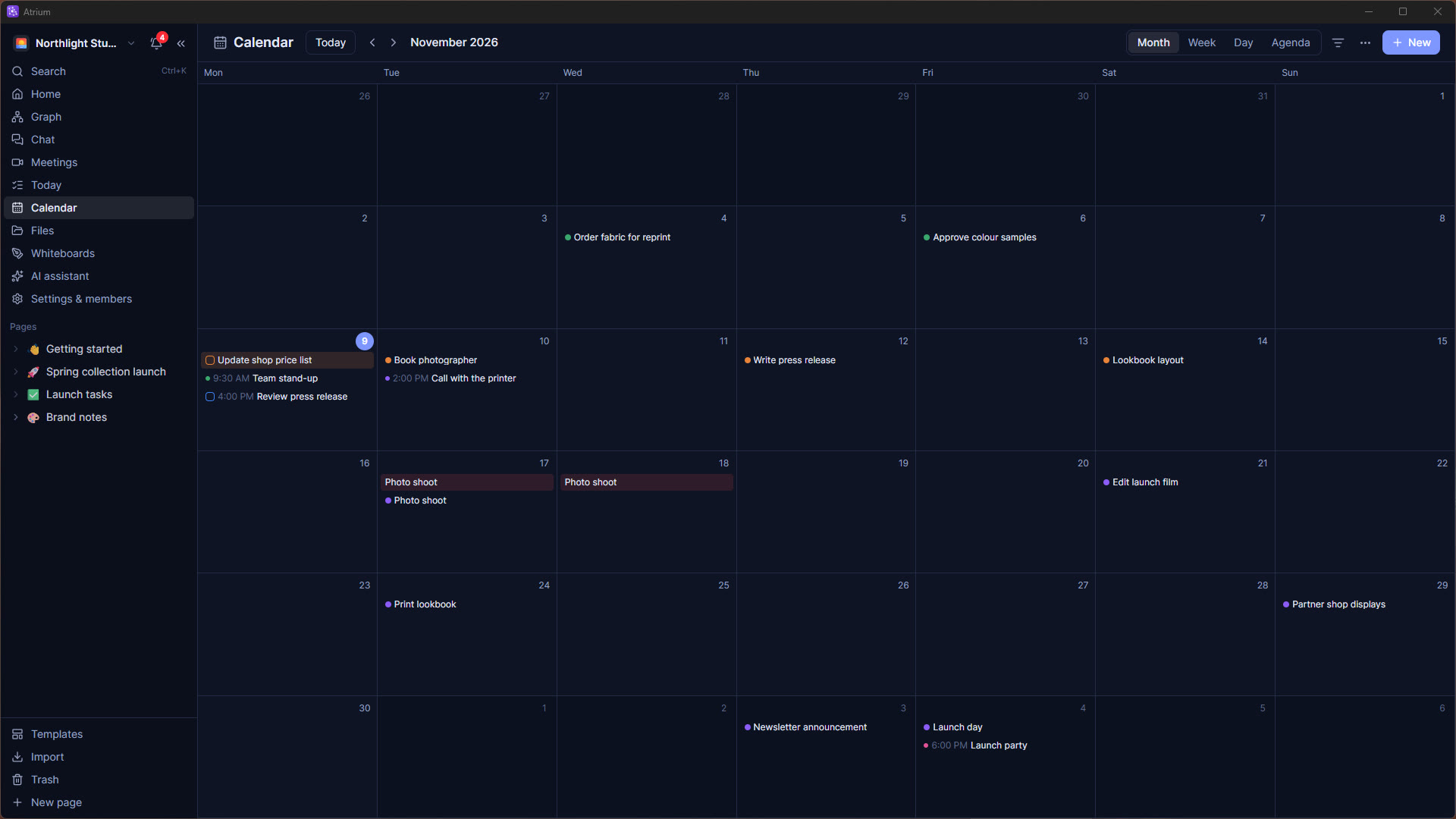
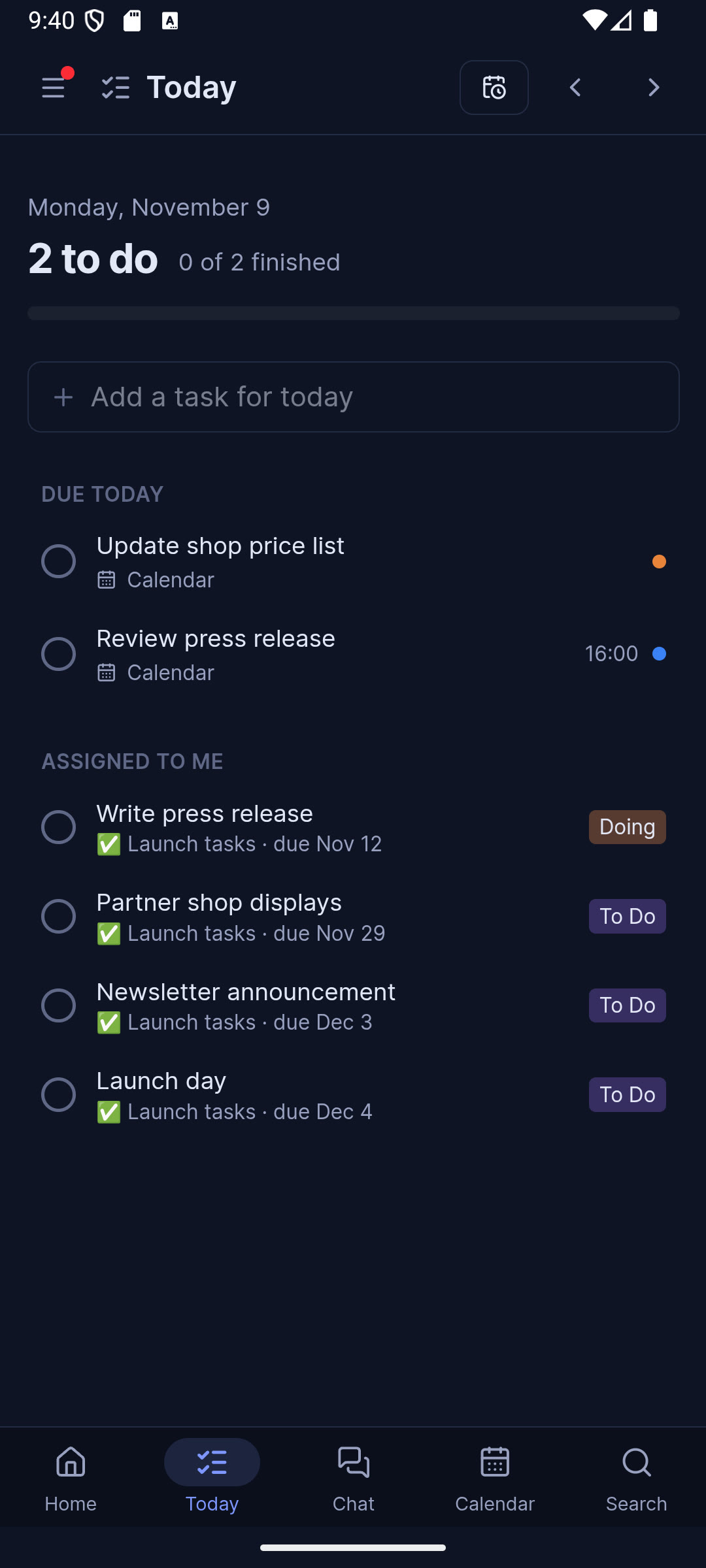
Events, tasks, reminders and repeats; every dated card and to-do in one calendar; plan your day hour by hour.
Chat
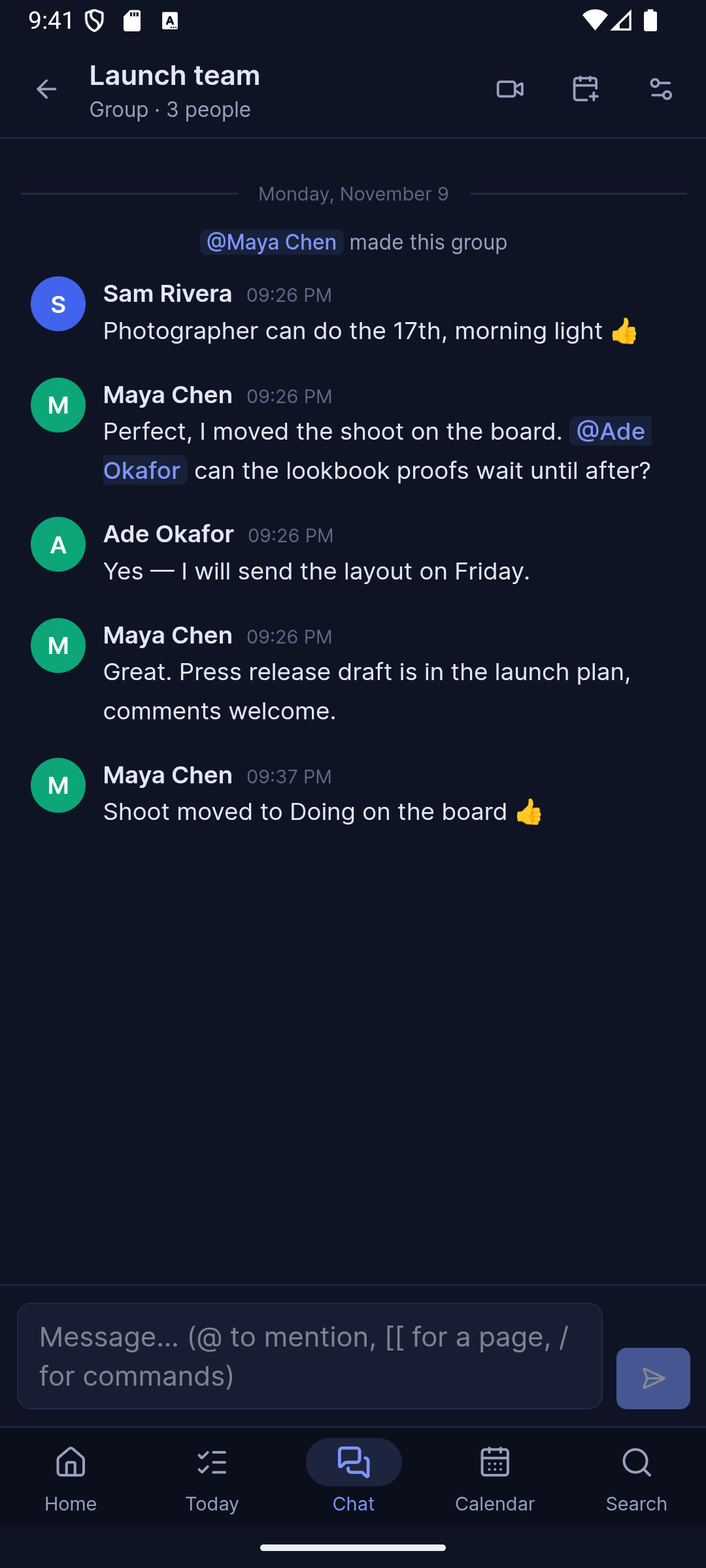
Private chats, groups and teams with per-member rules, @mentions, page links, dates and slash commands.
Meetings
Scheduled links, invites, screen sharing, host controls, prepared tasks and a meeting chat that's kept afterwards.
Knowledge graph
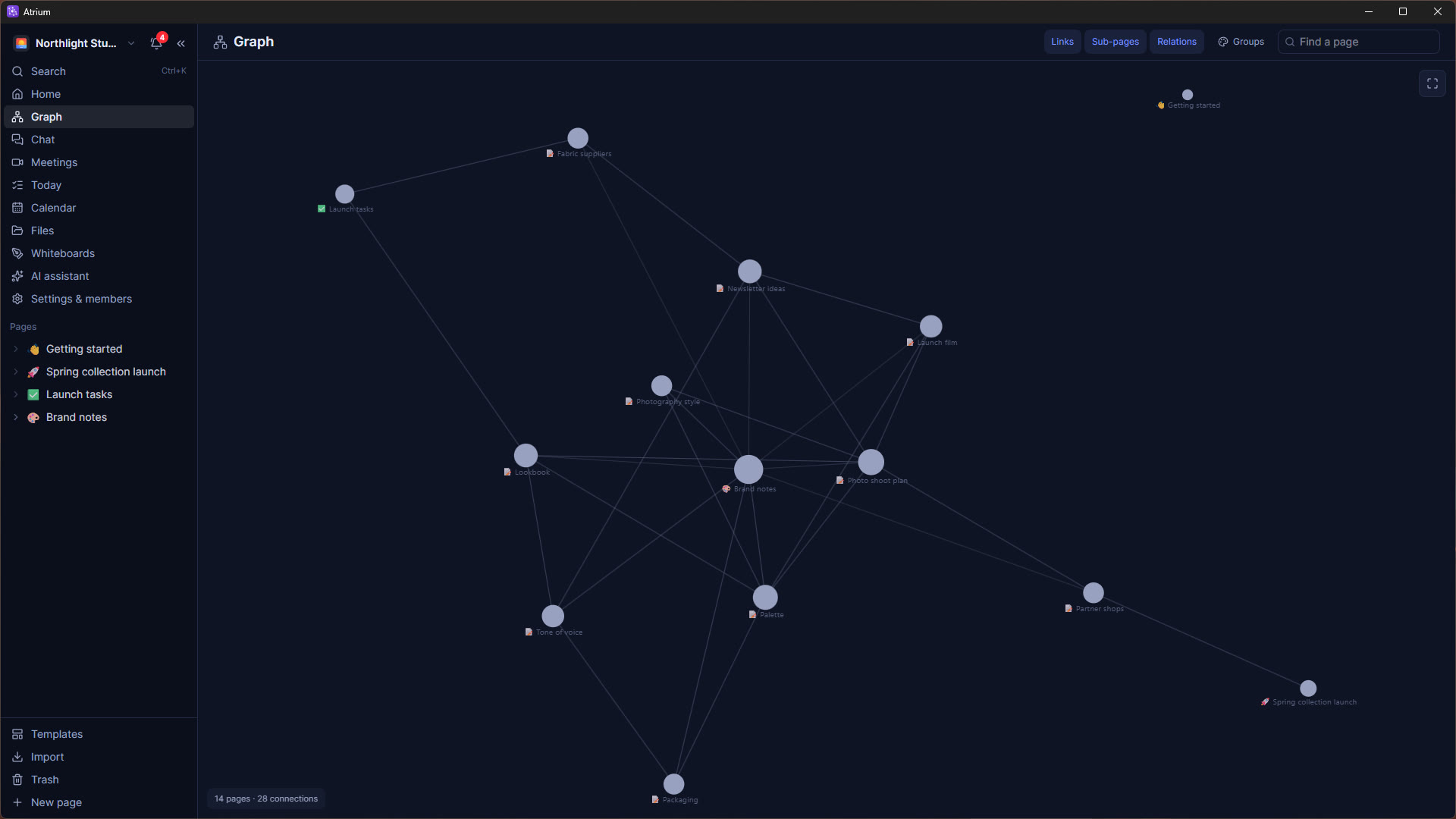
See how every page connects, Obsidian-style — with colour groups that mean something and an animated legend.
AI that builds
Bring Claude, OpenAI-compatible or Gemini models: an assistant that makes documents, databases and plans, plus autofill, flashcards and transcription.
Files & Office
Edit documents, spreadsheets and presentations in built-in editors, write on PDFs, sketch on whiteboards, and search inside every file.
API, webhooks & MCP
Tokens, a documented API, signed webhooks — and Connect Claude gives an AI assistant a workspace as its memory.
Self-hosted, private, unlimited
- Your server, your data. Everything lives in your own database and storage.
- No per-seat limits. As many people and workspaces as your machine can hold — you set the limits.
- Pages you've opened work offline. They stay on the device and sync when you're back.
- Imports everything. Notion, Evernote, Trello, documents, Markdown, CSV — or pages written by any AI chat, files and all.
- English, Spanish, French and Arabic (right-to-left), themes that follow your account to every device, and a phone layout that feels native.
- Updates in one click. The admin panel tells you when a new version is out — or installs it automatically.
One workspace on every device
The Windows and Android apps, connected to the same server.
Atrium Cloud — no server needed
Down the line, we'll offer Atrium as a hosted subscription for teams who'd rather not run their own server: the same app, kept up to date and backed up for you, with the Windows and Android apps connecting to it out of the box.
- Self-hosting stays free and fully featured, forever — open source under the AGPL.
- Move either way. Export your workspace from the cloud to your own server, or the other way round.
- Want to hear first? Leave your email and we'll write once, when it opens.
Atrium Cloud
Hosted Atrium as a subscription — planned. Get an email when it opens.
Download the apps
The apps connect to your Atrium server. Run a server first (it takes a few minutes), then sign in from any device.
Windows
Installer for Windows 10 and 11. Notifications, a floating call window and offline pages.
Download .exeAndroid
A native-feeling phone app: bottom bar, sheets, picture-in-picture calls and notifications. Android 7+.
Download .apkWeb & server
Open your server in any browser — on iPhone, Mac or Linux too. The server runs anywhere Docker does.
Installation guideOpen source, for good
Atrium is free software under the AGPL-3.0. Read the code, file issues, suggest features or contribute on GitHub.
Your email address
If you sign up for Atrium Cloud news, we keep your email address, when you signed up, your browser's language and that you agreed to be emailed. We use it only to tell you about Atrium Cloud (when it opens, and important news about it), never share or sell it, and keep it in a private store at Vercel (United States) until you ask us to remove it or the list is no longer needed. To stop a signup flood, your IP address is counted for a day as a one-way hash, never next to your email address, and deleted after two days. This website sets no cookies and uses no analytics. To see, correct or remove your address, email abodede.atrium@gmail.com; every email we send will also have an unsubscribe link.